C-kompilatorer är vanligtvis tillgängliga på en värdserver med åtkomst begränsad till root-användaren. Genom WHM:s Security Center kan du dock utöka kompilatoråtkomsten till specifika användare, vilket gör det möjligt för dem att kompilera kod på servern. Denna guide visar hur du beviljar och återkallar kompilatoråtkomst för användare.
Så här gör du
-
Steg 1: Logga in på WHM
Logga in på ditt WHM root-konto.
-
Steg 2: Navigera till Security Center
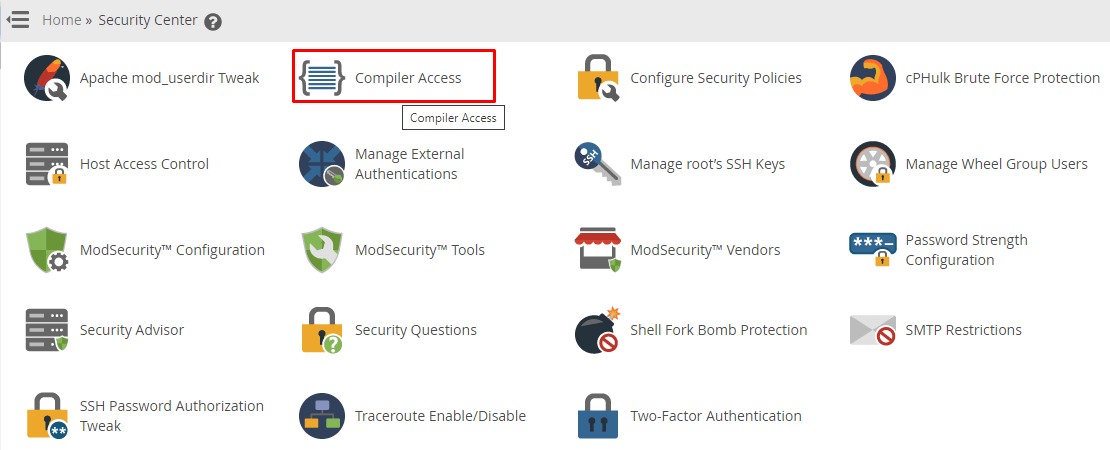
Gå till menyn och välj Security Center.
-
Steg 3: Öppna Compiler Access
Välj Compiler Access från listan.
-
Steg 4: Aktivera användarspecifik åtkomst
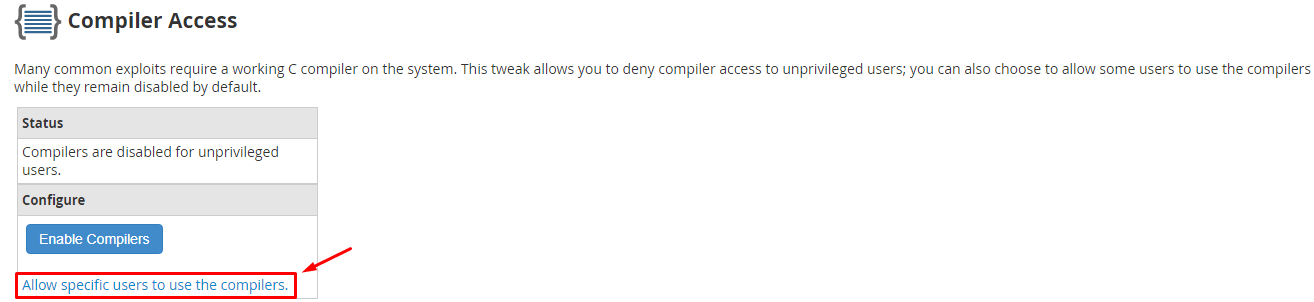
Välj länken "Allow specific users to use the compilers" i avsnittet Configure.
Gränssnittet Manage Compiler Group kommer att visas, vilket gör att du kan aktivera eller inaktivera kompilatoråtkomst för användare baserat på deras grupp.
-
Steg 5: Lägg till användare i kompilatorgruppen
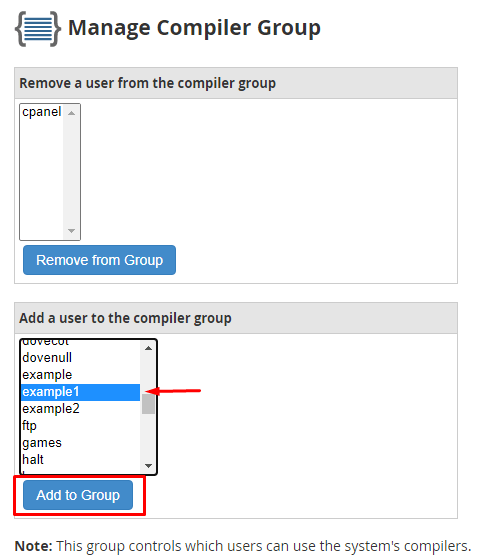
Välj den användare du vill bevilja kompilatoråtkomst till från listan "Add a user to the compiler group" och klicka på "Add to Group".
WHM kommer att visa ett bekräftelsemeddelande som bekräftar att användaren har lagts till i kompilatorgruppen. Användare inom denna grupp kommer nu att ha kompilatoråtkomst till din WHM-värd.

Inaktivera kompilatoråtkomst
Om du behöver ta bort kompilatoråtkomst för en användare:
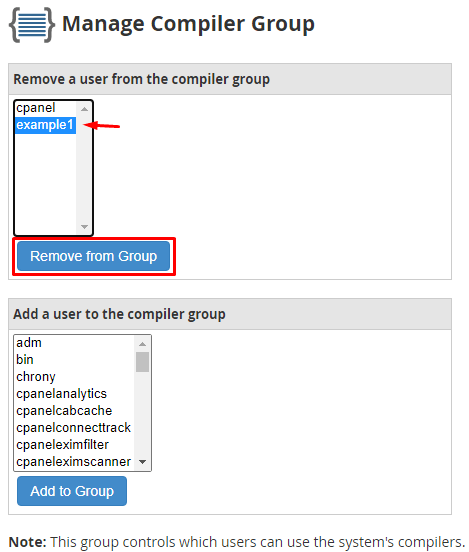
- Välj användaren från listan märkt "Remove a user from the compiler group".
- Klicka på "Remove from Group".
- WHM kommer att visa ett bekräftelsemeddelande och ta bort användaren från kompilatorgruppen.